3/27/2012 Update: According to the Moles page, the Moles framework has been integrated into Visual Studio 11 as the Fakes framework and Moles is no longer under active development. After a quick review of the changes it appears that most of this guide still applies but there are a few changes to be aware of:
- Mole types are now referred to as Shim types
- The configuration file now has a .fakes extension
- The generated types are now placed in a .Fakes namespace (i.e.: System.Fakes)
6/25/2012 Update: In preparation for my Faking It talk covering the Fakes framework I compiled a list of the notable differences between Moles and Fakes. There are quite a few more than I listed above so if you’re using this post as an introduction to either framework you’ll probably want to look them over.
Despite having been around for several years I hadn’t heard about Microsoft’s Moles framework until a few months ago when one of my teammates mentioned it during the 2011 Indy GiveCamp. I was interested in learning more about it at the time but given how we were running on caffeine I’m not surprised I forgot about it until he mentioned it again a few weeks ago. This time I was much more alert and started reading about it almost immediately. After seeing what Moles offered and not finding much in the way of resources for it on the Web I knew I needed to spread the word.

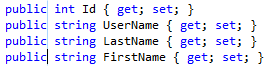
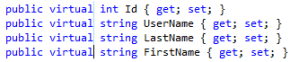 To insert the virtual modifier we just need to type (or paste) “virtual.” Here you can see that each property is now virtual and the zero-length box has moved to the end of the inserted text. What if we decide later though that these properties shouldn’t be virtual after all?
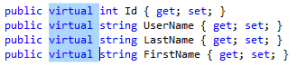 We can use box selections to remove the virtual modifier from each property just as easily. In the example to the left we see a box selection highlighting the virtual modifier on each line.
  To remove the text we can simply delete it. This will leave us with a zero-length box where the virtual modifiers used to be. We can then simply click or arrow away to clear the box selection.
 Didactic Code